Is Your Website Costing You Customers? A Free Checklist
Your website might look fine to you, but is it actually working? Use this 8-point checklist to find out whether your website is helping your business — or quietly driving customers to your competitors.
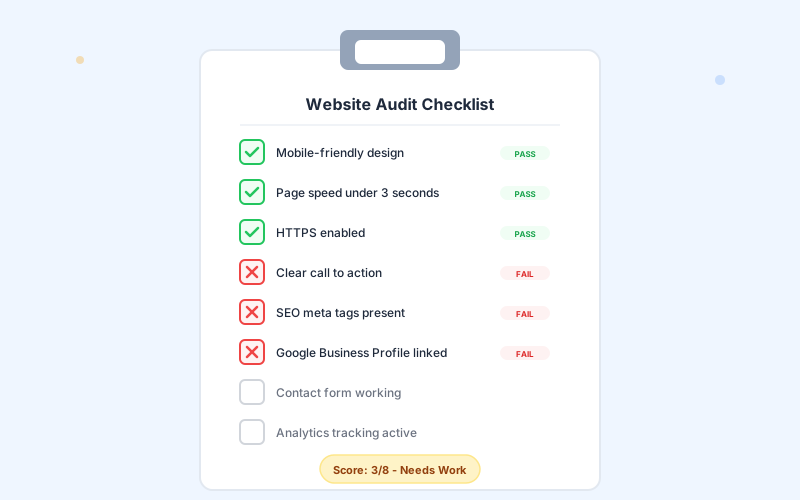
The 8-Point Website Audit
Go through each item below and check your own website. Be honest — the goal isn't to feel good about your site, it's to find what needs fixing. Each item directly impacts whether visitors become customers.
Is Your Website Mobile-Friendly?
Over 60% of web traffic comes from mobile devices. If your website is hard to read, navigate, or use on a phone, you're losing more than half your potential customers.
How to check: Open your website on your phone right now. Can you:
- Read all text without zooming in?
- Tap buttons and links easily with your thumb?
- Navigate between pages without confusion?
Does It Load in Under 3 Seconds?
53% of mobile visitors leave a site that takes longer than 3 seconds to load. Speed isn't a nice-to-have — it's a requirement.
How to check: Go to pagespeed.web.dev and enter your website URL. Anything below 50 on mobile needs immediate attention.
Is HTTPS Enabled?
Look at your URL bar. Does it show a padlock icon and start with “https://”? If not, browsers are warning visitors that your site isn't secure. Google also penalizes sites without HTTPS in search rankings.
If you're still on HTTP: This is a critical fix. Most hosting providers offer free SSL certificates. There's no excuse for running without HTTPS in 2026.
Do You Have a Clear Call to Action?
When someone lands on your homepage, is it immediately obvious what they should do next? “Get a Free Quote,” “Book Online,” “Call Now” — whatever it is, it needs to be prominent and specific.
If your homepage doesn't have a CTA above the fold (visible without scrolling), you're failing this one.
Are SEO Meta Tags Present?
Every page on your website needs a unique title tag and meta description. These are what show up in Google search results. Without them, Google picks random text from your page — and it usually looks terrible.
How to check: Right-click on your homepage and select “View Page Source.” Search for <title> and meta name="description". If they're missing or generic, that's a problem.
Is Your Google Business Profile Set Up?
Google your own business name. Does a panel appear on the right with your hours, address, and reviews? If not, you're invisible in local search. Check out our Google Business Profile guide to get set up — it's free and takes about 20 minutes.
Does Your Contact Form Work?
This sounds basic, but test it right now. Fill out your own contact form and hit submit. Did you get the email? You'd be amazed how many business websites have broken forms that silently eat leads.
- Form submits without errors
- You receive the email within minutes
- The user sees a confirmation message
- Spam is filtered without blocking real people
Is Analytics Tracking Active?
If you don't have Google Analytics (or a similar tool) installed, you have zero visibility into how your website is performing. You don't know how many visitors you get, where they come from, or what pages they view. You're flying completely blind.
Score Your Website
Count up how many of the 8 items your website passes:
7-8 Passing
Your website is in great shape. Focus on content and lead optimization.
4-6 Passing
Your website needs some work. Prioritize the failing items — each one costs you customers.
0-3 Passing
Your website is actively hurting your business. It may be time for a new site.
What to Fix First
If your site failed multiple items, here's the priority order:
- Mobile-friendliness — This affects everything. If your site isn't usable on phones, nothing else matters.
- HTTPS — Quick fix with massive impact on trust and rankings.
- Page speed — Slow sites bleed visitors. Every second counts.
- Contact form — If people can't reach you, why have a website?
- Clear CTA — Tell visitors what to do. Don't make them guess.
- SEO meta tags — Help Google show your pages correctly in search results.
- Google Business Profile — Free, powerful, and essential for local businesses.
- Analytics — Start tracking so you can measure improvements.
The Cost of Doing Nothing
Every day your website has problems, potential customers are bouncing to your competitors. That's not hypothetical — it's happening right now.
If your website gets 500 visitors a month and your contact form is broken, that could be dozens of lost leads every month. At an average customer value of $500, even losing 5 leads a month means $2,500 in missed revenue. Over a year, that's $30,000.
A professional website that costs $50-150/month suddenly looks like the best investment you could make.
Want a Free Professional Audit?
We'll review your website against all 8 checklist items and give you a detailed report with specific recommendations. No obligation, no hard sell. Just honest feedback from a local web designer who wants to help.
Looking for a web designer in the Shenandoah Valley?
We build websites for businesses across the Valley. See what we offer in your area:
Written by
Mosaic Ridge Team